Desktop v2
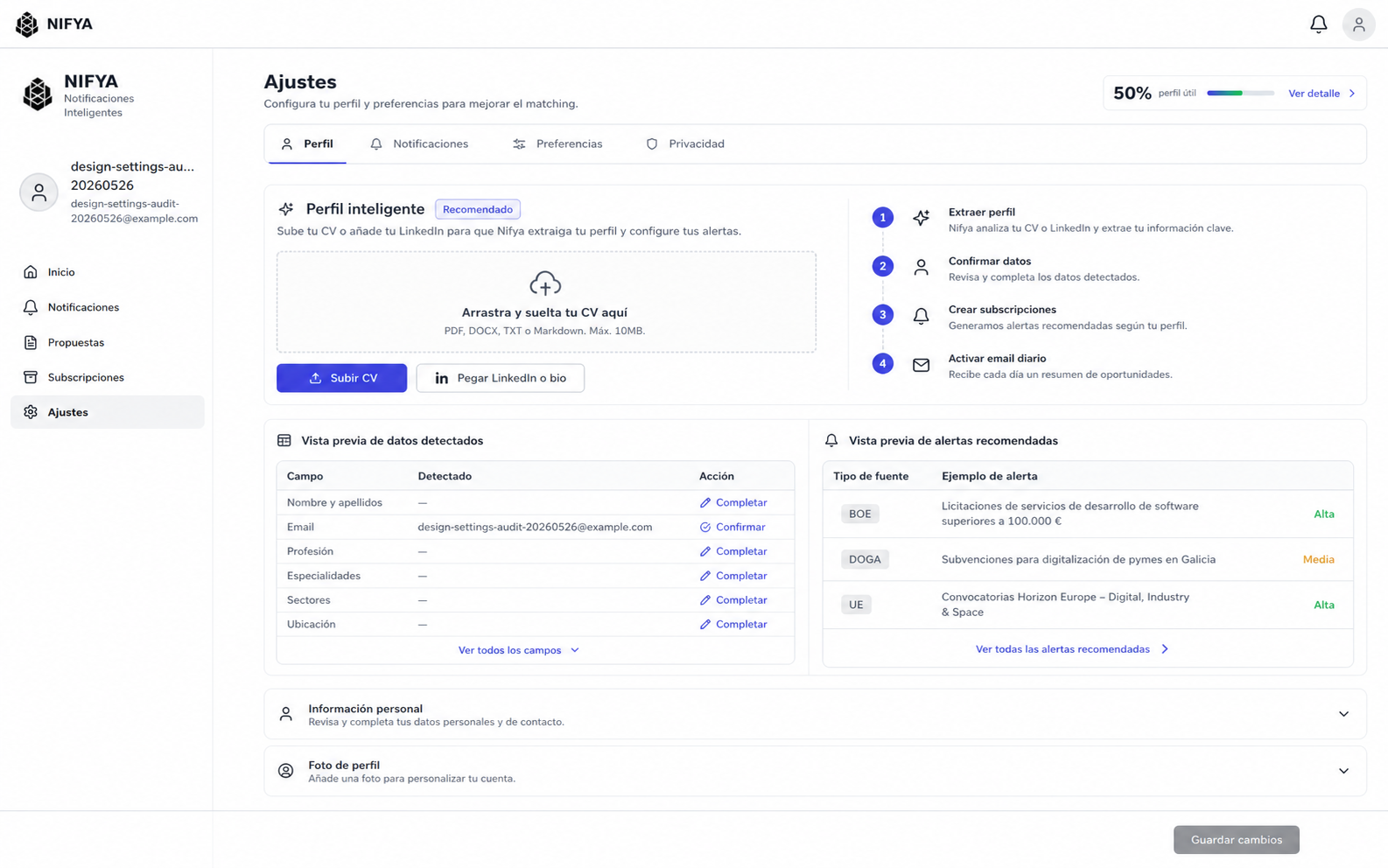
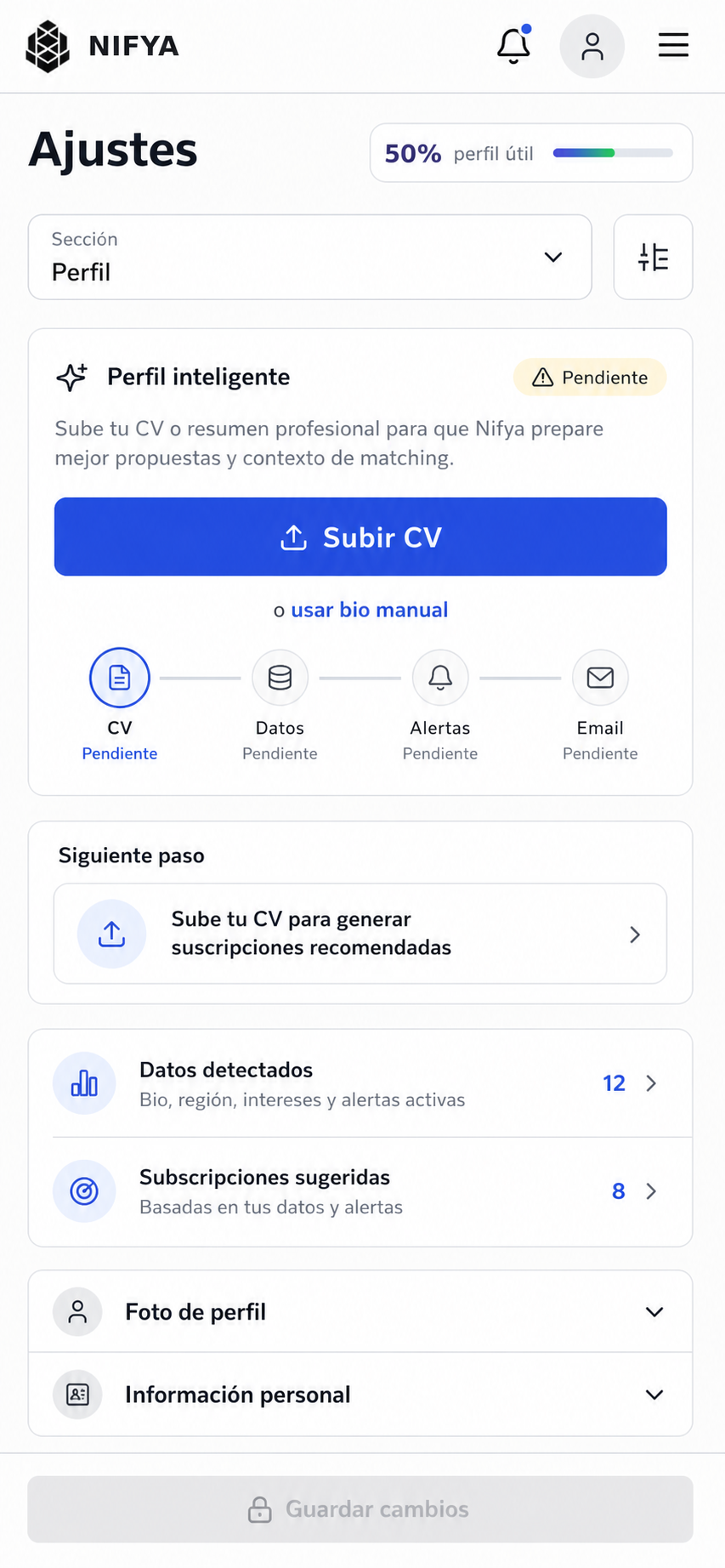
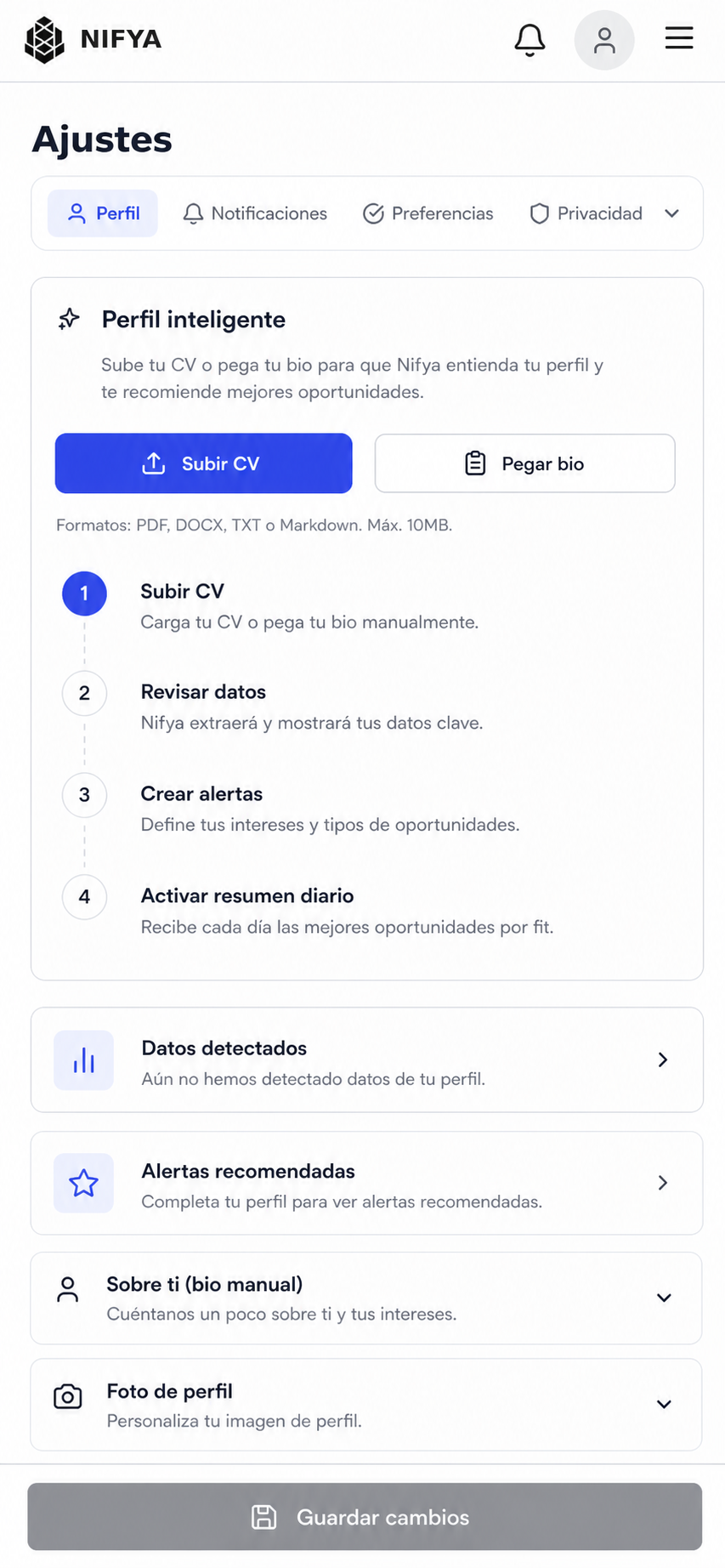
Live-page screenshots plus four mockup directions for replacing the right-column help content with a task-first smart profile setup.
CV upload exists, but new users encounter photo, manual fields, bio, and aside cards first.
Use desktop v2 and mobile v2 as the implementation target.
No production code was changed during this mockup pass.
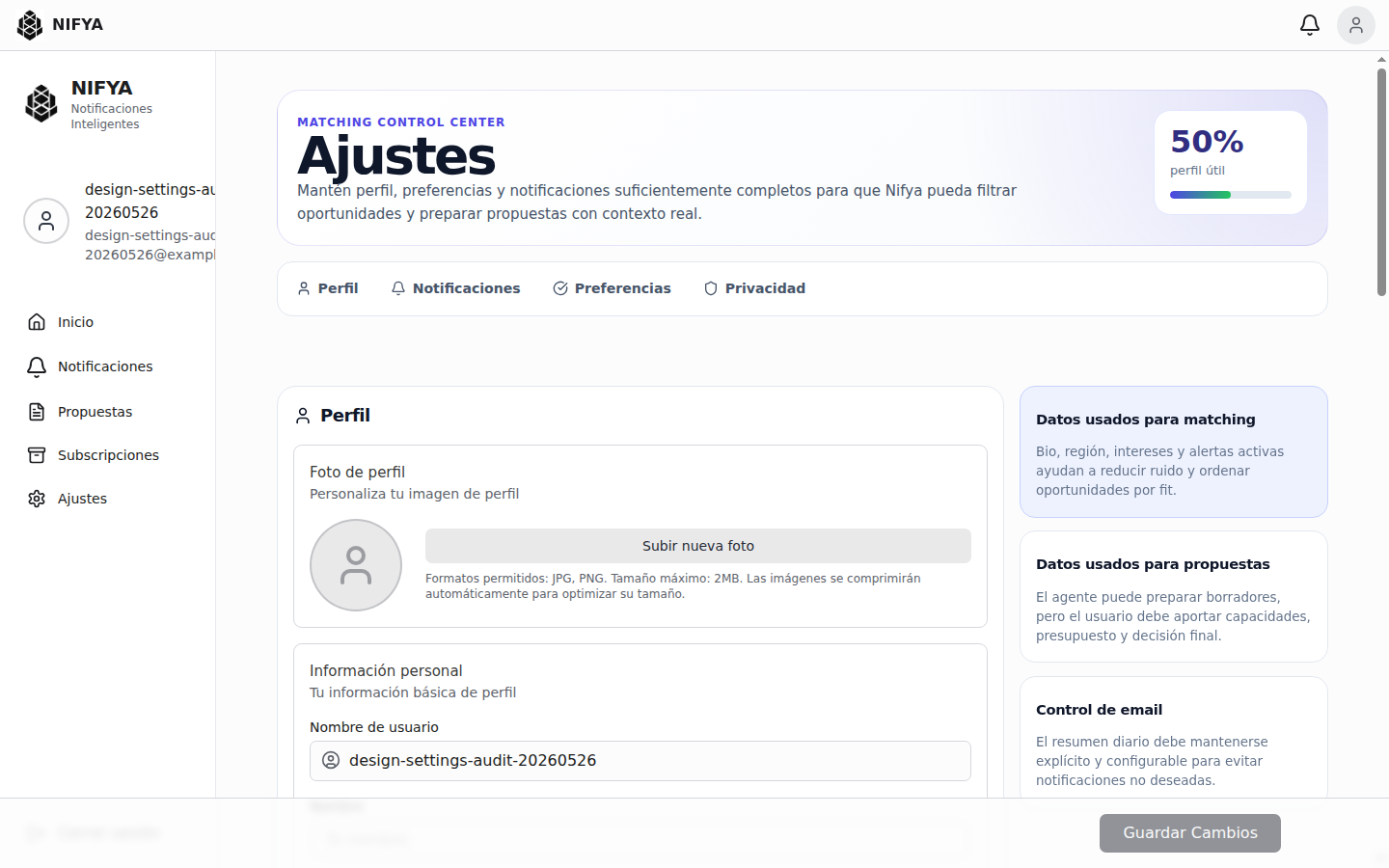
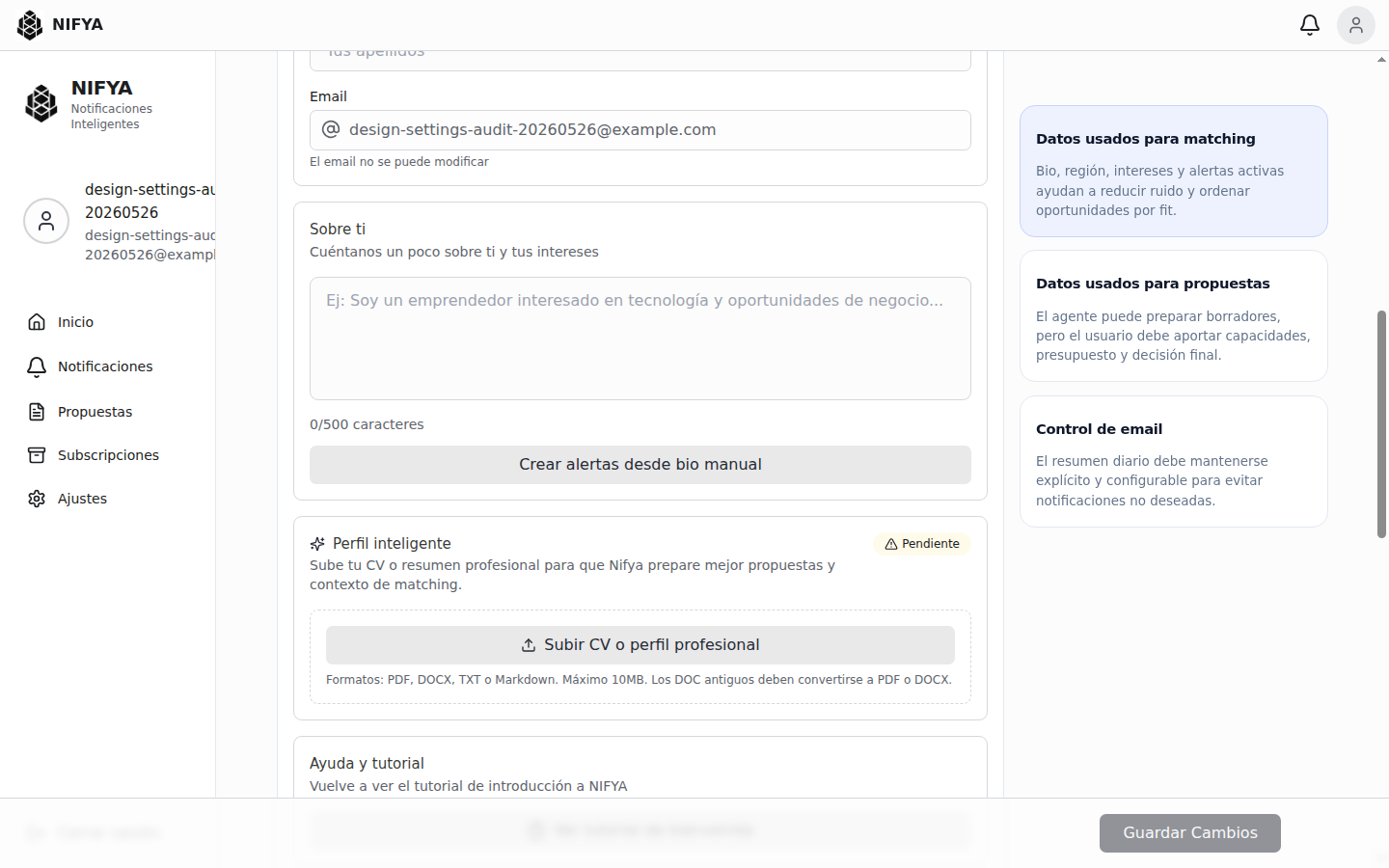
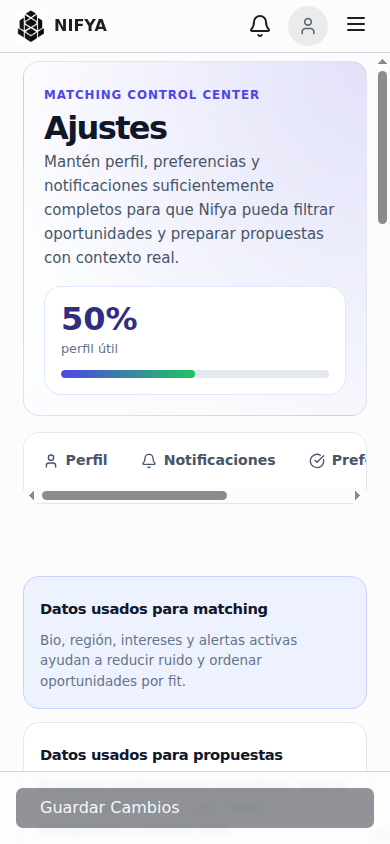
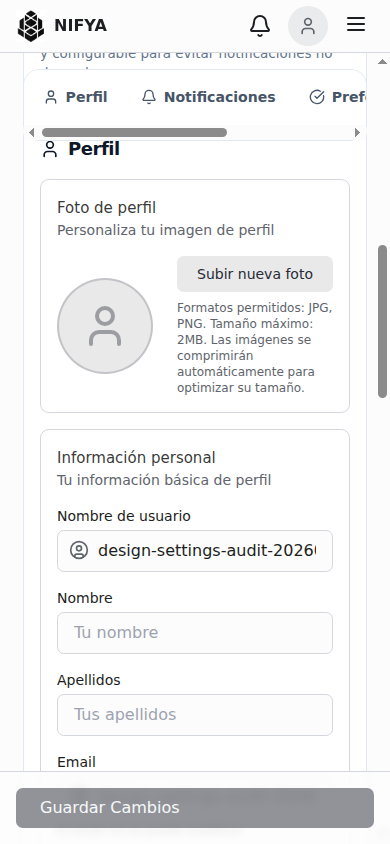
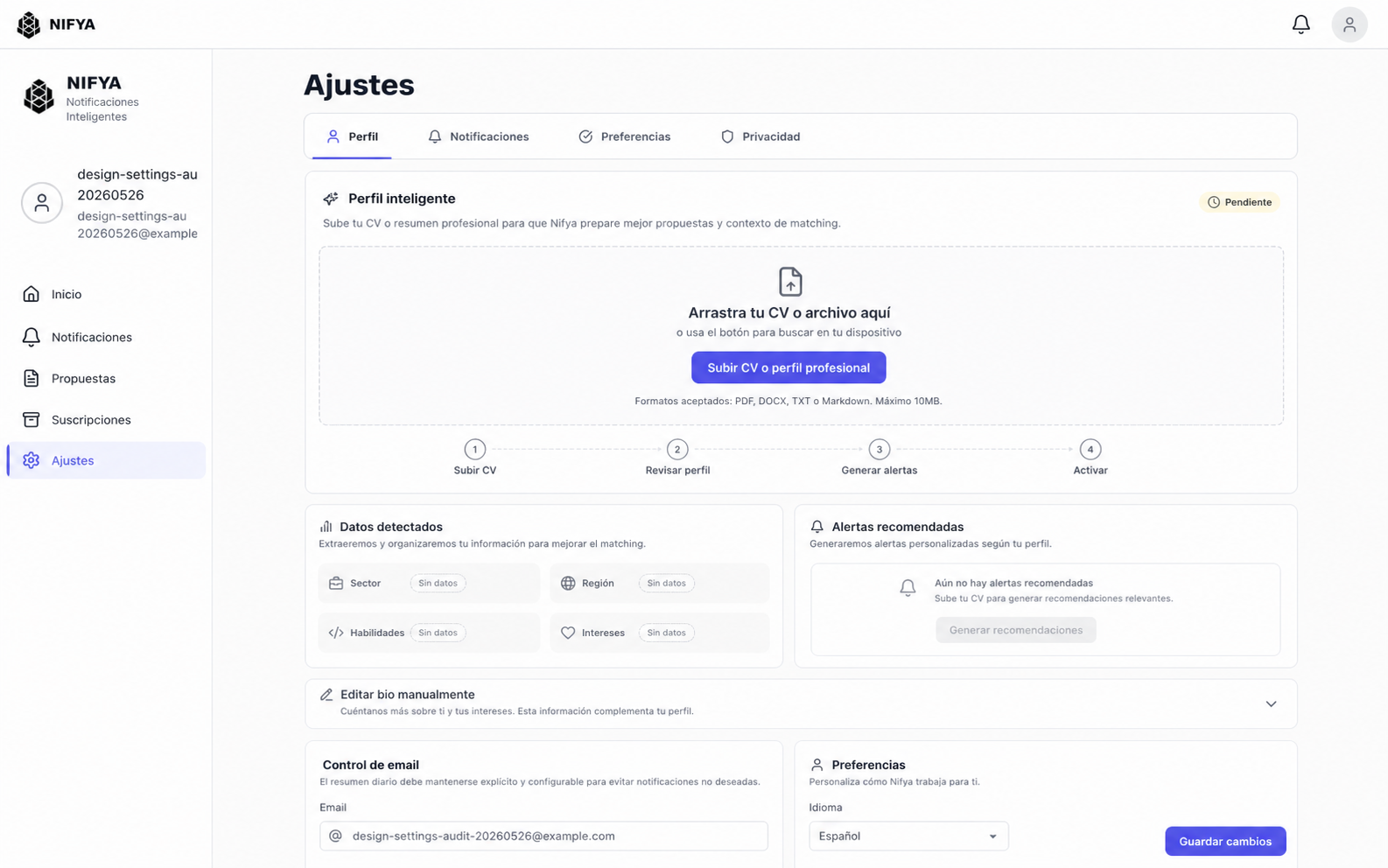
The right column currently explains matching, proposals, and email control. Move that context into inline helper text or an info drawer only where needed.
The first Settings menu/content item should be smart profile setup: upload CV, paste bio as fallback, review extracted data, generate recommended subscriptions.
Replace overflowing tabs with a section selector and ensure the disabled save bar does not obscure content.
Full brief: redesign-brief.md